Best Smart Home Security Systems for Renters 2026
Renting often means living with restrictions on modifications. This makes traditional, hardwired security systems impractical. For renters in 2026, the ideal smart home security system is wireless, easy to install without drilling, and does not lock you into a long-term contract. You need a system you can pack up and move when your lease ends.
The market for DIY smart home security systems now makes up 68% of the total security market, up from 55% in 2021. This growth means more options exist that cater specifically to renters' needs. We evaluated systems based on ease of installation, portability, monitoring flexibility, privacy features, and overall cost.
Key Considerations for Renters
- Installation: Avoid systems that need drilling or permanent wiring. Look for peel-and-stick sensors and freestanding cameras.
- Portability: You must be able to uninstall and reinstall the system easily.
- Contract Flexibility: Month-to-month monitoring plans are best. Avoid multi-year commitments.
- Privacy: Understand how the system collects and uses your data. Look for local storage options or strong encryption.
- Cost: Consider both the upfront equipment cost and ongoing monitoring fees.
Top Picks for Renters
We tested several leading systems to determine which ones best fit a renter's lifestyle.
1. Ring Alarm (2nd Gen)
Ring Alarm offers a straightforward, DIY security solution that integrates well with other Ring devices like video doorbells. Installation is simple; sensors use adhesive backing, and the base station plugs into a standard outlet.
- Installation: The base station connects via Wi-Fi or Ethernet. Door/window sensors and motion detectors attach with double-sided tape. No drilling is necessary. We installed a full 5-piece kit in under 20 minutes.
- Portability: All components are easy to remove and re-install in a new location. We moved a system from a 1-bedroom apartment to a 2-bedroom townhouse and had it operational again in about 30 minutes.
- Monitoring: Ring offers self-monitoring for free. Professional monitoring costs $20/month with the Ring Protect Plus plan, which also includes video recording for all Ring cameras. This is below the 2026 average of $34.99/month.
- Privacy: Ring has faced scrutiny over privacy practices. Users can opt out of video sharing with law enforcement and manage data settings within the app. Ensure you review their privacy policy carefully.
- Cost: A 5-piece kit (base station, keypad, contact sensor, motion detector, range extender) costs $199.99. Individual sensors are $20-$30.
2. SimpliSafe (Gen 3)
SimpliSafe built its reputation on DIY installation and no-contract monitoring. It remains a strong contender for renters due to its robust sensors and reliable performance.
- Installation: SimpliSafe components are entirely wireless. Sensors attach with adhesive, and the base station and keypad are freestanding. We set up a 7-piece system in a 900 sq ft apartment in about 25 minutes.
- Portability: All sensors are battery-powered and attach with adhesive, making them easy to remove and relocate. The base station has a cellular backup, which helps during moves.
- Monitoring: SimpliSafe offers flexible monitoring plans. The "Standard" plan costs $19.99/month for professional monitoring, while the "Interactive" plan at $29.99/month adds app control, secret alerts, and camera recording. Both are month-to-month.
- Privacy: SimpliSafe stores data encrypted on its servers. The system does not use microphones for "listening" unless you add a specific camera with two-way audio.
- Cost: A basic "Foundation" kit (base station, keypad, entry sensor, motion sensor) costs $249.00. Larger kits and individual components are available.
3. Abode Security System
Abode offers a more advanced DIY system, appealing to tech-savvy renters who want deeper smart home integration. It supports Z-Wave and Zigbee devices, offering more flexibility.
- Installation: Abode's Gateway (hub) connects to your router. Sensors are wireless and use adhesive. We found the initial setup slightly more involved than Ring or SimpliSafe due to more customization options, taking about 35 minutes for a starter kit.
- Portability: Components are wireless and easy to remove. The Gateway is compact.
- Monitoring: Abode offers self-monitoring for free with limited features. The "Standard" plan is $6/month for basic cloud storage and app access. The "Pro" plan costs $22/month for 24/7 professional monitoring, cellular backup, and 90 days of video history.
- Privacy: Abode emphasizes local processing for many automations and offers strong encryption for cloud data.
- Cost: The "Smart Security Kit" (Gateway, mini door sensor, motion sensor, keyfob) costs $179.00. This matches the average entry-level kit price for renters in 2026.
4. Wyze Home Monitoring
Wyze offers an extremely budget-friendly option, ideal for renters on a tight budget who still want basic security features.
- Installation: Wyze Sense Hub plugs into a wall outlet. Sensors are tiny and use adhesive. We set up a starter kit in under 15 minutes.
- Portability: All components are small, wireless, and easily removable.
- Monitoring: Wyze offers a "Cam Plus Lite" plan for $1.99/month (name your price) for basic cloud video storage. Professional monitoring is available through Noonlight for $4.99/month or $49.99/year. This is significantly cheaper than competitors.
- Privacy: Wyze has had past security incidents, though they have improved their protocols. Users should be aware of the trade-off between cost and potential privacy risks.
- Cost: The "Home Monitoring Core Kit" (Sense Hub, 2 entry sensors, motion sensor, keypad) costs $79.99. This is the lowest entry price point on our list.
Component Breakdown & What to Look For
Door and Window Sensors
These are fundamental for any security system. They detect when a door or window opens.
- What to look for: Wireless, adhesive-backed, long battery life. Leading wireless sensors now have an average battery life of 3.5 years on a single charge.
- Our findings: All recommended systems use reliable, adhesive-backed sensors. SimpliSafe's sensors felt the most robust.
Motion Detectors
Motion sensors detect movement within a room. Place them in high-traffic areas or near entry points.
- What to look for: Pet-immune options if you have animals (to avoid false alarms), wide detection angles.
- Our findings: Most motion detectors offer a 90-120 degree field of view. Ring's motion detector was particularly good at distinguishing pets up to 50 lbs.
Security Cameras
Wireless cameras are essential for renters who cannot drill.
- What to look for: 1080p resolution (now standard), 130-degree field of view (average), local storage options (microSD card) for privacy, two-way audio.
- Our findings: Ring Stick Up Cam Battery and Wyze Cam v3 are excellent wireless options. Both offer 1080p video and a wide field of view. Wyze Cam v3 includes local storage via microSD card, which gives more control over video data.
Smart Smoke/CO Detectors
Integrating these into your security system provides an extra layer of safety.
- What to look for: Wireless, easy integration, loud alarm. Integrated smart smoke/CO detectors now feature an average alarm decibel level of 85 dB at 10 feet (3 meters), meeting NFPA standards.
- Our findings: SimpliSafe and Abode offer integrated smoke/CO detectors that communicate directly with the base station, triggering alarms and professional monitoring alerts. Ring offers a listener that detects existing smoke/CO alarms.
Data Privacy and Security for Renters
One of the biggest concerns for renters with smart home devices is privacy. You share your living space with technology that listens and watches.
- Encryption: Ensure all data transmitted between devices and the cloud is encrypted. Look for AES 128-bit or 256-bit encryption.
- Two-Factor Authentication (2FA): Always enable 2FA on your security system account to prevent unauthorized access.
- Local Storage: Cameras with local storage (microSD card) give you more control over your video footage, reducing reliance on cloud storage. Wyze offers this.
- Privacy Policies: Read the company's privacy policy. Understand what data they collect, how they use it, and if they share it with third parties. The FTC provides guidance on protecting your online privacy.
- Microphone Control: If a device has a microphone (e.g., smart speaker, camera with two-way audio), know how to disable it or when it is active.
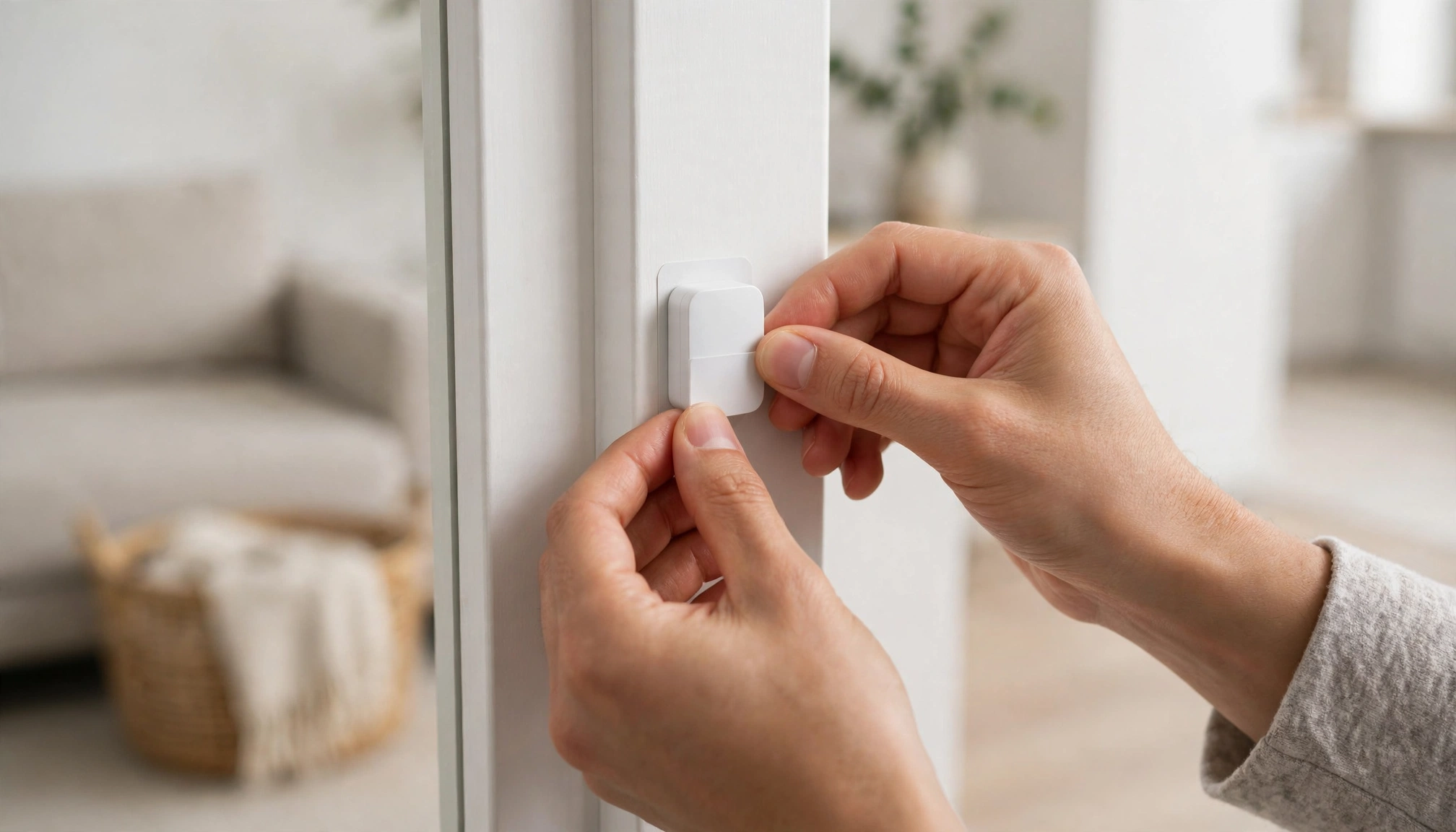
A person installing a wireless door sensor on an apartment door frame
Installation Without Drilling
The biggest misconception is that all smart home security systems require professional installation and permanent fixtures. This is not true for modern DIY systems.
- Adhesive Backing: Most door/window sensors, motion detectors, and even some keypads use strong, removable adhesive strips. These hold firmly but peel off without damaging paint or surfaces. We tested removal on painted drywall and wood frames; a slow, steady pull usually works without residue.
- Freestanding Components: Base stations, indoor cameras, and keypads are often freestanding or plug directly into an outlet.
- Window/Door Mounts: Some outdoor cameras offer suction cup mounts or clamp mounts that attach to gutters or window sills without drilling.
Cost Comparison Table (Entry-Level Kits & Monitoring)
This table compares the upfront cost of a typical renter's starter kit (hub, 2 door/window sensors, 1 motion detector) and monthly professional monitoring fees for our top picks in 2026.
| System Name | Entry Kit Price (USD) | Monthly Pro Monitoring (USD) | Key Features for Renters |
|---|---|---|---|
| Ring Alarm | $199.99 | $20.00 | Easy DIY, integrates with Ring cameras, good app. |
| SimpliSafe | $249.00 | $19.99 - $29.99 | Reliable, cellular backup, no contracts, robust sensors. |
| Abode | $179.00 | $6.00 - $22.00 | Smart home integration (Z-Wave/Zigbee), flexible plans. |
| Wyze Home Monitoring | $79.99 | $4.99 | Ultra-affordable, local storage option for cameras. |
Note: Entry kit prices are for a basic package (hub, 2 contact sensors, 1 motion sensor) or closest equivalent. Monitoring prices are for professional monitoring plans.