Best Smart Home Security System for Renters 2026
Renting presents unique challenges for home security. You cannot drill holes, sign long-term contracts, or make permanent changes to the property. The good news is that modern smart home security systems address these issues directly. You can get robust protection without landlord conflicts or financial penalties.
This guide focuses on systems built for portability, ease of installation, and flexibility.
Why Renters Need Specific Security Solutions
Traditional security systems often require professional installation, which means drilling into walls and doorframes. Landlords generally prohibit this. They also come with multi-year monitoring contracts that penalize you if you move before the term ends. For renters, this means:
- No drilling: You need systems with adhesive mounts or freestanding components.
- No long-term contracts: Month-to-month or no-contract options are essential.
- Portability: You must be able to pack up your system and take it to your next rental.
- Easy setup: You want a system you can install yourself in minutes, not hours.
Key Features for Renters in 2026
When evaluating smart home security systems, renters should prioritize these features:
1. DIY Installation & Wireless Components
You need a system you can set up yourself. This means wireless sensors and cameras that connect to a central hub via Wi-Fi or a proprietary low-power radio frequency.
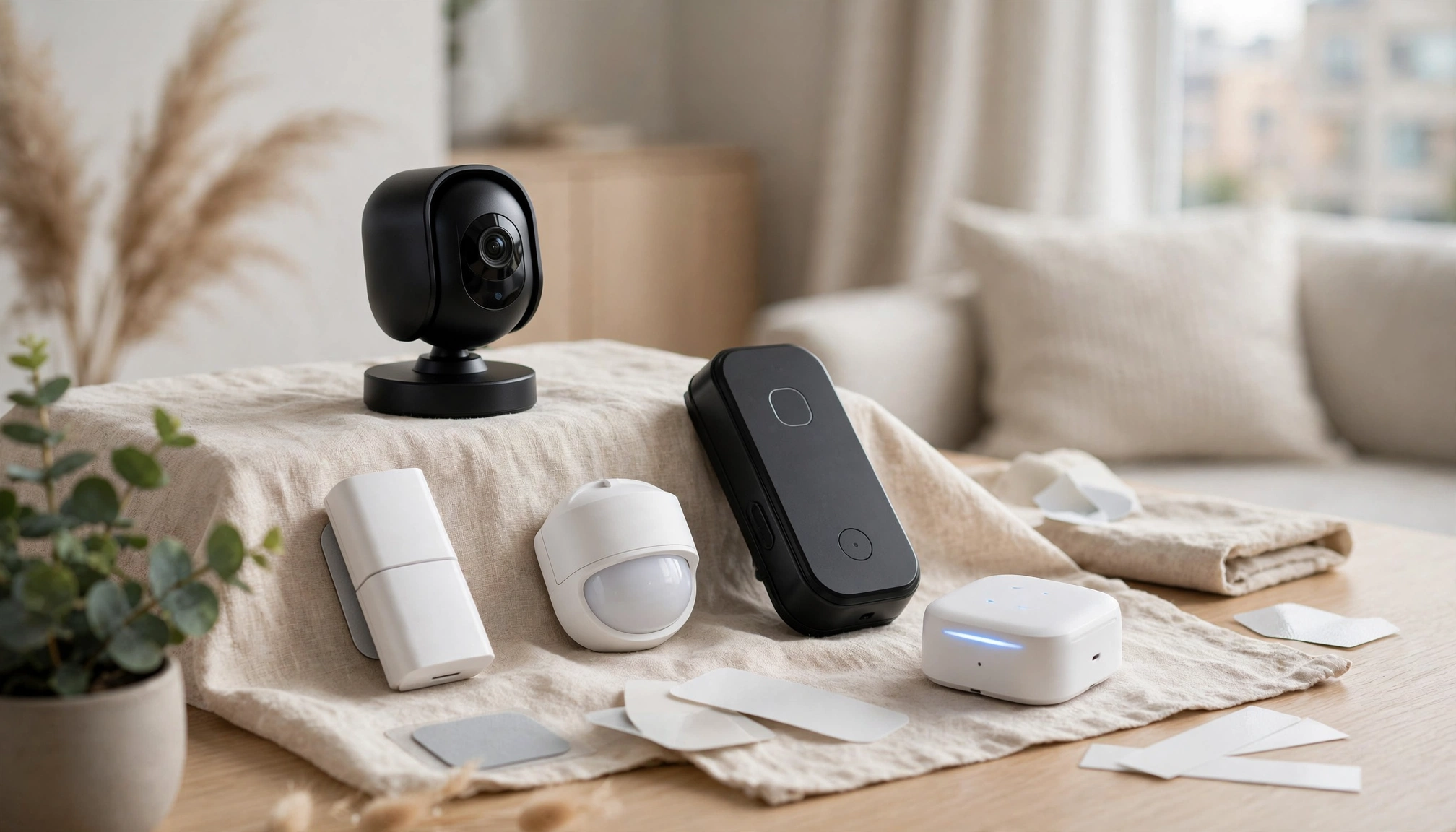
- Adhesive mounts: Door/window sensors and motion detectors should attach with strong, removable adhesive strips. This avoids drilling.
- Plug-and-play cameras: Indoor cameras plug into a standard outlet and connect wirelessly to your Wi-Fi. Outdoor cameras often have battery power or magnetic mounts.
- Average setup time: A basic system (hub, 2 door/window sensors, 1 motion sensor) takes about 25 minutes to install.
2. No-Contract Monitoring Options
Many systems offer optional professional monitoring on a month-to-month basis. This is crucial for renters who might move.
- Flexibility: You can cancel anytime without penalty.
- Cost: The average monthly subscription for professional monitoring is $34.99 in 2026. This is a 5% increase from 2025.
- Self-monitoring: Most DIY systems also allow self-monitoring, where you receive alerts directly on your smartphone. This has no monthly fee.
3. Matter 1.2 Compatibility
Matter 1.2 is a unified standard for smart home devices. It ensures different brands can communicate smoothly.
- Interoperability: A Matter-compatible hub lets you integrate devices from various manufacturers (e.g., a Ring camera with an Aqara sensor).
- Future-proofing: Matter 1.2 supports over 200 certified devices, making your system adaptable as new tech emerges.
- Simpler setup: Devices that support Matter often pair more easily.
4. Portable Cameras
Cameras are a core part of any security system. For renters, portability is key.
- Indoor cameras: Look for models that are small, discreet, and easy to reposition. Many have magnetic bases or stand on shelves.
- Outdoor cameras: Battery-powered outdoor cameras with magnetic mounts or screw-free clamps (for gutters) are ideal. They eliminate wiring needs.
- Wi-Fi range: Wireless cameras using 2.4 GHz Wi-Fi have an effective indoor range of up to 150 feet (45.7 meters).
5. False Alarm Prevention
False alarms are a major concern, especially with potential fines from local authorities.
- Pet immunity: Motion sensors with pet immunity ignore animals up to a certain weight (e.g., 40 lbs or 18 kg), reducing false triggers.
- Adjustable sensitivity: You should be able to fine-tune sensor sensitivity.
- Visual verification: Cameras allow you to quickly check an alert before contacting authorities. This helps prevent unnecessary police dispatches, which can result in fines in some jurisdictions. The Federal Trade Commission advises understanding local false alarm policies before choosing a system.
Top Smart Home Security Systems for Renters (2026)
Based on renter-specific needs, these systems stand out:
1. Ring Alarm Pro
Ring offers a robust ecosystem that integrates well with its popular cameras.
- DIY Installation: All components are wireless and use adhesive mounts.
- No Contract Option: You can self-monitor for free or subscribe to Ring Protect Pro for professional monitoring ($20/month or $200/year for one location). This includes cellular backup and local storage.
- Ecosystem: Integrates smoothly with Ring doorbells and cameras.
- Connectivity: The Ring Alarm Pro Base Station includes an Eero Wi-Fi 6 router, providing reliable network coverage.
- Starter Kit Price: A basic 5-piece kit (base station, keypad, 1 contact sensor, 1 motion detector, 1 range extender) costs around $249.99.
- Trade-off: The Eero router feature might be overkill if you already have a good Wi-Fi setup.
2. SimpliSafe
SimpliSafe is known for its straightforward setup and flexible monitoring.
- DIY Installation: Sensors use adhesive. The base station plugs in.
- No Contract Option: Offers month-to-month professional monitoring ($29.99/month for the "Interactive" plan, which includes app control and camera recording). Self-monitoring is also available.
- Pet-Friendly Motion Sensors: Standard motion sensors have pet immunity for animals up to 50 lbs (22.7 kg).
- Variety of Sensors: Offers a wide range, including water, freeze, and smoke detectors.
- Starter Kit Price: The "Foundation" kit (base station, keypad, 1 entry sensor, 1 motion sensor) starts at $229.99.
- Trade-off: Camera quality is good but not always top-tier compared to dedicated camera brands.
3. Arlo Security System
Arlo focuses heavily on camera quality and advanced detection.
- DIY Installation: Completely wireless and battery-powered cameras. Sensors use adhesive.
- No Contract Option: Offers self-monitoring with local storage via a SmartHub. Arlo Secure plans (starting at $4.99/month for a single camera) add cloud recording and advanced detection.
- Superior Cameras: Known for excellent 2K and 4K HDR video quality, color night vision, and wide fields of view (up to 180 degrees). A 1080p HD camera consumes about 2.5 watts during active recording.
- Integrated Siren: Many Arlo cameras have built-in sirens.
- Starter Kit Price: An Arlo Essential 3-camera kit (no hub) costs about $349.99. The Arlo Security System (all-in-one sensor/keypad/siren) costs $199.99 for the main unit.
- Trade-off: Higher initial cost, especially for multiple cameras. The comprehensive Arlo Security System hub is relatively new.
4. Wyze Home Monitoring
Wyze provides an extremely affordable entry point into smart home security.
- DIY Installation: Simple adhesive sensors and plug-in cameras.
- No Contract Option: Very low-cost professional monitoring ($9.99/month or $99.99/year). Self-monitoring is free.
- Affordable Hardware: Wyze cameras and sensors are significantly cheaper than competitors. A Wyze Cam v3 Pro costs about $59.99.
- Matter Compatibility: Wyze has been actively integrating Matter into its ecosystem, making it a good choice for future-proofing.
- Starter Kit Price: The Wyze Home Monitoring Core Kit (hub, 2 contact sensors, 1 motion sensor, keypad) costs around $99.99.
- Trade-off: While improving, some users report occasional software glitches or slower response times compared to premium brands.
Data Comparison: Renter-Friendly Security Systems
| Feature | Ring Alarm Pro | SimpliSafe | Arlo Security System | Wyze Home Monitoring |
|---|---|---|---|---|
| Installation | DIY, Adhesive | DIY, Adhesive | DIY, Adhesive/Magnetic | DIY, Adhesive |
| Contract | No-contract optional | No-contract optional | No-contract optional | No-contract optional |
| Prof. Monitoring | $20/month | $29.99/month | From $4.99/month (per camera) | $9.99/month |
| Starter Kit Price | $249.99 | $229.99 | $199.99 (hub only) | $99.99 |
| Matter 1.2 Support | Limited (via Eero) | Planned/Partial | Planned/Partial | Active Integration |
| Camera Quality | Good (Ring Cams) | Standard | Excellent (2K/4K) | Good for price |
| Pet Immunity | Yes (up to 50 lbs) | Yes (up to 50 lbs) | Via camera AI | Yes (via camera AI) |
| Portability | High | High | High | High |
| Money-Back Guarantee | 30-day (Ring) | 60-day (SimpliSafe) | 30-day (Arlo) | 30-day (Wyze) |
Note: DIY smart home security systems typically offer a 100-day money-back guarantee, allowing for extensive testing, though individual brand policies vary.
Practical Considerations for Renters
- Wi-Fi Reliability: Your security system relies heavily on your home Wi-Fi. Ensure your router provides good coverage, especially for cameras.
- Battery Life: For wireless, battery-powered sensors and cameras, check battery life estimates. Most last 6-12 months for sensors and 1-6 months for cameras, depending on usage.
- Privacy: Understand how your chosen system handles video storage (cloud vs. local) and data privacy. Look for systems with strong encryption. The National Institute of Standards and Technology (NIST) offers guidance on IoT security.
- Landlord Communication: While these systems avoid permanent changes, it is good practice to inform your landlord about your security measures, especially if they involve outdoor cameras. This maintains a good relationship.
- Testing Period: Take advantage of the 100-day money-back guarantees many DIY systems offer. This lets you thoroughly test the system in your specific rental unit.
Setting Up Your Renter-Friendly System
- Unbox and Charge: Unpack all components. Charge any battery-powered devices.
- Download App: Install the manufacturer's app on your smartphone.
- Connect Hub: Plug in the central hub and connect it to your Wi-Fi network via the app.
- Pair Sensors: Follow the app instructions to pair door/window sensors, motion detectors, and keypads. Place door/window sensors on the frame, not the door itself, for easier removal.
- Position Cameras: Place indoor cameras on shelves or tables. Mount outdoor cameras using non-permanent methods (e.g., magnetic mounts, gutter clamps).
- Test Everything: Arm and disarm the system. Trigger each sensor and camera to ensure alerts reach your phone. Test the siren.
- Adjust Settings: Fine-tune