Why Your Smart Thermostat Shows Incorrect Temperature Readings (2026)
Smart thermostats promise precise climate control, but often display temperatures that do not match what you feel. This discrepancy leads to discomfort and wasted energy. The issue rarely lies with the thermostat's core technology itself, but with its environment, maintenance, or power supply. Understanding these common culprits helps you diagnose and fix the problem without calling a technician.
1. Poor Placement & Environmental Factors
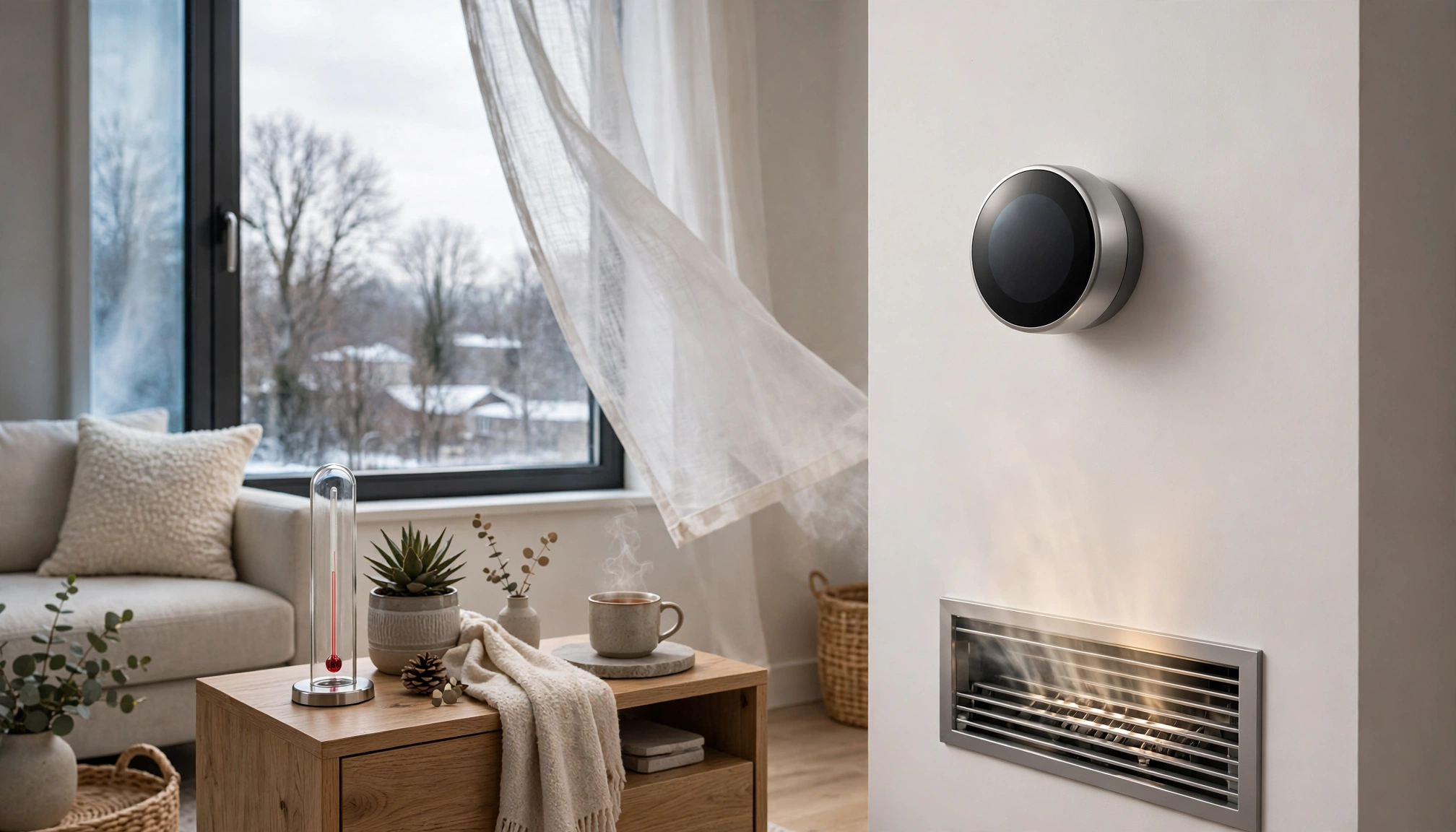
The most frequent cause of inaccurate readings is where you put the thermostat. Smart thermostats measure the air temperature at their specific location. If that location experiences conditions different from the rest of your living space, the reading will be off.
- Direct Sunlight: A common mistake is installing a thermostat on a wall that receives direct sunlight for part of the day. Sunlight heats the thermostat's casing and internal sensor, artificially inflating the temperature reading. This can make your thermostat think the room is warmer than it is, causing your AC to run excessively. Direct sunlight exposure can inflate readings by up to 8°F (4.4°C). I have seen this happen with south-facing living rooms where the afternoon sun hits the wall unit.
- Drafts from Windows or Doors: Placing a thermostat near a leaky window or door exposes it to colder or warmer air currents that do not reflect the room's average temperature. A draft from an unsealed window or door within 3 feet (0.9 meters) of a thermostat can cause temperature fluctuations of 3-5°F (1.7-2.8°C). This means your furnace might kick on unnecessarily if a cold draft hits the sensor.
- Proximity to Heat Sources: Lamps, televisions, computers, or even kitchen appliances generate heat. If your thermostat sits too close to one of these, it absorbs that radiant heat, leading to an artificially high reading. I once had a client whose thermostat was directly above a floor lamp; turning the lamp on for an hour raised the thermostat reading by 3°F (1.7°C).
- Near Vents or Ducts: Supply or return air vents directly impact the air around the thermostat. A thermostat too close to a supply vent gets blasted with conditioned air, causing it to shut off prematurely. Conversely, a return vent can pull air from other parts of the house, skewing the local reading.
- Behind Furniture or Curtains: Obstructions block airflow around the thermostat, creating a microclimate that does not accurately represent the room's temperature. The thermostat needs open air circulation to get a true reading.
- Relocate: The ideal spot for a thermostat is on an interior wall, away from direct sunlight, drafts, vents, and heat-generating appliances. It should be at eye level (around 5 feet or 1.5 meters from the floor) in a central part of your home where air circulates freely.
- Seal Leaks: Check windows and doors near the thermostat for drafts. Use weatherstripping or caulk to seal any gaps.
- Remote Sensors: Many smart thermostats, like the Ecobee SmartThermostat Premium (MSRP $249.99), use external remote sensors. These small, wireless pucks measure temperature in different rooms and average the readings, providing a more accurate whole-home temperature. When properly placed, these systems achieve accuracy within ±0.5°F (±0.3°C). Place these sensors in frequently occupied rooms, away from environmental extremes.
2. Dirty or Obstructed Internal Sensors
Smart thermostats use thermistors or other electronic sensors to measure temperature. These tiny components are sensitive to their immediate environment.
- Dust Accumulation: Over time, dust, pet hair, and other airborne particles can accumulate on the internal temperature sensor. This layer of grime acts as an insulator, preventing the sensor from accurately reading the ambient air temperature. Dust accumulation can cause readings to be off by an average of 2-4°F (1.1-2.2°C) within 12-18 months if not regularly cleaned. I have seen thermostats that were 5 years old with a visible layer of dust inside, causing a consistent 3°F (1.7°C) under-reading.
- Insect Infestation: Though less common, small insects can sometimes crawl inside the thermostat casing and interfere with the sensor.
- Clean Regularly: Turn off power to your HVAC system at the breaker. Carefully remove the thermostat's cover (check your manual for specific instructions). Use a can of compressed air to gently blow away dust from the internal components, especially the small sensor. Avoid touching the sensor directly. Do this every 6-12 months.
- Inspect for Insects: While the cover is off, check for any signs of insect activity.
3. Low Battery Power
Some smart thermostats, especially older models or those without a common wire (C-wire), rely on batteries for power. When these batteries run low, the thermostat's ability to accurately measure and report temperature can degrade.
- Erratic Readings: Low battery levels (below 15%) can cause erratic temperature readings, with deviations up to 6°F (3.3°C). The thermostat might struggle to power its internal sensors consistently, leading to fluctuating or consistently incorrect data.
- Connectivity Issues: Low power also affects Wi-Fi connectivity, preventing the thermostat from receiving updates or communicating effectively with its remote sensors or your app.
- Replace Batteries: If your thermostat uses batteries (usually AA or AAA), replace them immediately when you see a low battery warning or if you suspect inaccurate readings. Use high-quality alkaline batteries.
- Check C-Wire: If your thermostat constantly drains batteries, you might need a C-wire adapter or a professional installation to ensure continuous power from your HVAC system. This is a more stable power source.
4. Software Glitches & Firmware Issues
Like any smart device, thermostats run on software. Bugs in the firmware or issues with the app can lead to incorrect temperature displays or control problems.
- Display Errors: A software glitch might cause the thermostat's screen to show one temperature while its internal sensor reads another, or it might display a stale reading.
- Calibration Drift: Over time, software calibration can drift, especially after updates or power outages.
- App Discrepancies: Sometimes the temperature displayed on your smartphone app differs from the thermostat's physical display. This usually points to a communication error or a caching issue within the app.
- Restart/Reboot: A simple reboot often clears minor software glitches. Turn off power to the HVAC system at the breaker for 5 minutes, then restore power.
- Check for Firmware Updates: Most smart thermostats receive over-the-air (OTA) updates. Ensure your device runs the latest firmware. Check your thermostat's settings menu or the companion app for update options.
- Recalibrate (Software): Some thermostats offer a software calibration option in their settings. This allows you to manually adjust the displayed temperature by a few degrees to match a known accurate thermometer. Consult your user manual for this feature.
- Reinstall App: If the app shows incorrect readings, try uninstalling and reinstalling it on your phone.
5. HVAC System Issues
While the thermostat measures temperature, the HVAC system controls it. Problems with your furnace or air conditioner can indirectly affect how the thermostat "perceives" the room temperature.
- Blower Fan Issues: If your blower fan does not run consistently or at the correct speed, air circulation suffers, creating temperature stratification in rooms. The thermostat might read one temperature, but other parts of the room feel different.
- Dirty Air Filters: A clogged air filter restricts airflow, making your HVAC system work harder and less efficiently. This can lead to uneven heating or cooling, which the thermostat might struggle to compensate for.
- Refrigerant Leaks (AC): Low refrigerant levels in an AC unit reduce its cooling capacity. The AC runs longer but struggles to reach the set temperature, making the thermostat seem inaccurate as it constantly calls for more cooling.
- Furnace Ignition Problems: If your furnace has intermittent ignition issues, it might not heat consistently, leading to temperature drops that the thermostat reports, but which feel more extreme due to the lack of steady warmth.
- Change Air Filter: Replace your HVAC air filter every 1-3 months, especially during peak heating/cooling seasons.
- HVAC Maintenance: Schedule annual professional maintenance for your furnace and AC. A technician can diagnose and fix issues with the blower, refrigerant, or ignition system.
6. Thermostat Hardware Malfunction
In rare cases, the thermostat itself might have a faulty internal sensor or other hardware component.
- Consistent Offset: If you have tried all other troubleshooting steps and the thermostat consistently reads off by a specific amount (e.g., always 3°F (1.7°C) too high), it might indicate a hardware problem.
- Intermittent Failure: The thermostat might work correctly sometimes and then suddenly show wildly inaccurate readings.
- Professional Recalibration: A qualified HVAC technician can use specialized tools to test and recalibrate your thermostat's sensor. The average cost of a professional smart thermostat recalibration service in North America is $185, ranging from $120 to $250 depending on location and complexity. This service is usually only necessary if the internal sensor is truly faulty and cannot be corrected by software.
- Warranty Replacement: If your thermostat is still under warranty, contact the manufacturer for a replacement. Most smart thermostats come with a 1-3 year warranty.
- Replacement: If the thermostat is old, out of warranty, and consistently faulty, replacing it might be more cost-effective than repeated repairs.
Data Comparison: Smart Thermostat Accuracy Factors
| Factor | Impact on Reading Accuracy | Typical Deviation (F/C) | Resolution