Smart Home Security Systems for 2027: A Comprehensive Buying Guide
Smart home security has changed significantly. It is no longer just about alarms and cameras. It is about integrated systems that protect your property while offering convenience and control. As we move into 2027, the market offers more sophisticated options, but also more complexity. This guide cuts through the noise to help you choose a system that fits your needs and budget.
Understanding Your Security Needs
Before you buy anything, assess what you need to protect and from what.
- Property Type: A small apartment has different needs than a large detached house with multiple entry points.
- Vulnerabilities: Identify weak spots: ground-floor windows, easily accessible back doors, or a detached garage.
- Occupancy: Do you travel often? Are you home during the day? This impacts monitoring choices.
- Budget: Consider both upfront equipment costs and ongoing monthly fees for monitoring or cloud storage.
Core Components of a Smart Home Security System
A modern smart home security system typically includes several key components.
1. Control Panel/Hub
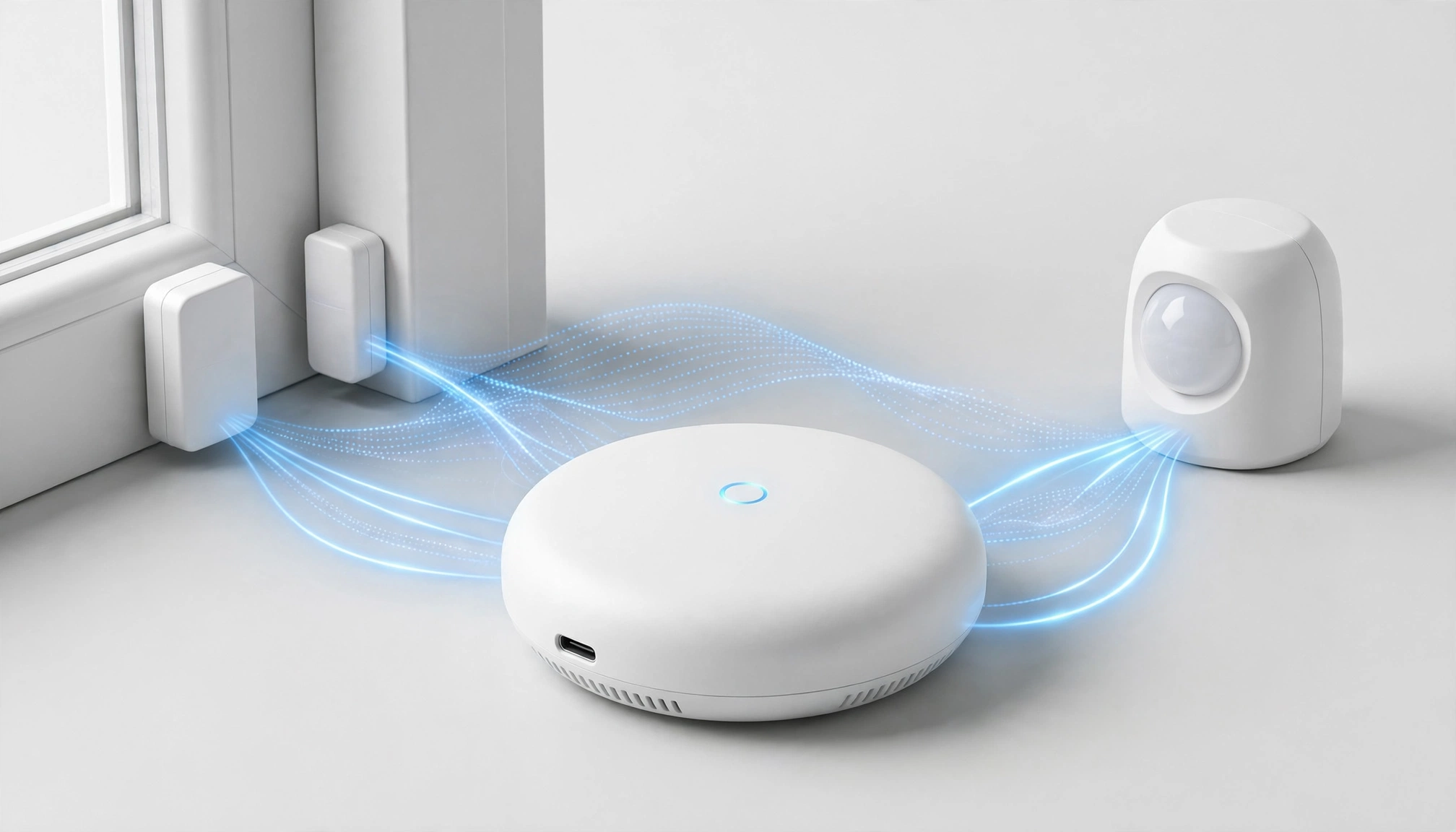
This is the brain of your system. It communicates with all sensors and devices, often via Wi-Fi, Z-Wave, or Zigbee protocols. A good hub has a reliable internet connection (with cellular backup for outages) and a user-friendly interface. Some systems integrate the hub into a smart display or speaker.
2. Sensors
These detect intrusions or environmental changes.
- Door/Window Sensors: These use magnets to detect when an opening is breached. They cost about $20-$40 each.
- Motion Detectors: These use passive infrared (PIR) technology to sense movement. Advanced models use AI to differentiate between pets and people, reducing false alarms. Expect to pay $30-$70.
- Glass Break Sensors: These listen for the specific sound of breaking glass. They cost around $50-$80.
- Environmental Sensors: Smoke, carbon monoxide, flood, and temperature sensors integrate into the system for broader protection. A smart smoke/CO detector costs $70-$150.
3. Security Cameras
Cameras are central to visual deterrence and evidence collection.
- Indoor Cameras: These offer live viewing, two-way audio, and often motion detection. Prices range from $50 to $200.
- Outdoor Cameras: These need to withstand weather. Look for IP65 or IP66 ratings. Many offer spotlights, sirens, and advanced motion detection. They cost $100-$300.
- Video Doorbells: These combine a camera, doorbell, and two-way audio. They are a primary deterrent for package theft and unwanted visitors. Expect to pay $100-$250.
4. Smart Locks
These replace traditional deadbolts and allow keyless entry via keypad, smartphone app, or even fingerprint. They integrate with your system to lock/unlock remotely or based on schedules. Prices are $150-$300.
5. Sirens/Alarms
These are crucial for deterring intruders and alerting neighbors. Some systems integrate sirens directly into the control panel, while others offer separate, louder sirens.
Key Features to Look For in 2027
The smart home security market is projected to reach $10.8 billion by the end of 2026, showing an 18.5% compound annual growth rate since 2021 Statista: Smart Home Security Market Revenue. This growth drives innovation in key areas.
1. Cybersecurity and Data Privacy
This is paramount. The biggest misconception is that all smart home security systems are inherently secure against cyber threats. They are not.
- Encryption: Ensure the system uses strong encryption for data transmission and storage. Most reputable systems in 2026 use AES-256 bit encryption, which meets industry best practices for cybersecurity NIST: Cybersecurity Framework.
- Two-Factor Authentication (2FA): This adds an extra layer of security to your account login. It is non-negotiable.
- Privacy Controls: Check how the company handles your video footage and personal data. Can you delete recordings? Is local storage an option?
- Regular Updates: The manufacturer must provide regular firmware and software updates to patch vulnerabilities.
2. False Alarm Reduction (AI-Powered)
"My smart camera keeps sending me false alerts every time a car drives by or a branch moves." This is a common complaint. Look for systems with advanced AI features:
- Person Detection: Distinguishes humans from animals, vehicles, or swaying trees.
- Activity Zones: Allows you to define specific areas in the camera's view that trigger alerts, ignoring irrelevant areas.
- Vehicle Detection: Alerts you only when a car enters your driveway, not when one drives past on the street.
3. Integration and Ecosystem Compatibility
"I can't get all my smart devices from different brands to work together smoothly; it's a constant headache." This is a major pain point.
- Open Standards: Systems supporting Z-Wave, Zigbee, or Matter protocols offer better compatibility with third-party devices.
- Voice Assistant Integration: Compatibility with Amazon Alexa, Google Assistant, or Apple HomeKit allows voice control and automation.
- IFTTT (If This Then That): This service allows you to create custom automations between different smart devices and services.
4. Professional vs. Self-Monitoring
This is a critical decision impacting cost and response time.
- Professional Monitoring: A central station monitors your system 24/7. When an alarm triggers, they verify it and dispatch emergency services. The average monthly fee for professionally monitored systems is $34.99 in 2026, with premium plans reaching up to $65.00/month. This offers peace of mind but comes with ongoing costs.
- Self-Monitoring: You receive alerts directly on your smartphone. You are responsible for contacting emergency services. This saves money on monthly fees but requires you to be constantly available and responsive.
5. Installation Options
- DIY (Do-It-Yourself): Many modern systems are designed for easy self-installation. This saves money on installation fees.
- Professional Installation: For complex systems or those who prefer not to handle setup, professional installation is available. The average cost for professional installation in 2026 is $399, ranging from $199 to $750 depending on system complexity and regional labor rates.
Smart Home Security System Components
Top Smart Home Security Systems for 2027 (Examples)
While specific models evolve, these brands consistently offer strong platforms.
| Feature | SimpliSafe (Example) | Ring Alarm Pro (Example) | Abode Security (Example) |
|---|---|---|---|
| Monitoring | Self or Professional (starts ~$18/month) | Self or Professional (Ring Protect Pro ~$20/month) | Self or Professional (starts ~$7/month) |
| Installation | DIY (very easy) | DIY (easy) | DIY (moderate) or Pro |
| Connectivity | Wi-Fi, Cellular (with plan), Z-Wave | Wi-Fi, Cellular (with plan), Z-Wave, Ethernet | Wi-Fi, Cellular (with plan), Z-Wave, Zigbee, Ethernet |
| Camera Options | Indoor, Outdoor, Video Doorbell (proprietary) | Indoor, Outdoor, Video Doorbell (extensive Ring ecosystem) | Indoor, Outdoor (compatible with many brands) |
| Smart Home Comp. | Limited (Alexa, Google Home, August locks) | Extensive (Alexa, some Z-Wave) | Broad (Alexa, Google Home, HomeKit, Z-Wave, Zigbee) |
| Data Encryption | AES-256 bit | AES-256 bit | AES-256 bit |
| Battery Life | Up to 1 year (sensors), 3-6 months (cameras) | 6-12 months (cameras), 3 years (sensors) | 3-5 years (sensors), 3-6 months (wireless cameras) |
| Avg. Starter Kit | $200-$400 | $250-$450 | $200-$500 |
Note: Prices and features are estimates for 2027 and can vary.
Making Your Decision
- Define Your Budget: Factor in equipment, installation (if needed), and monthly monitoring fees.
- Prioritize Security: Look for strong encryption, 2FA, and reliable hardware.
- Consider Ecosystem: If you already have smart devices, choose a system that integrates well.
- Ease of Use: A complex system you do not use effectively offers little protection.
- Customer Support: Read reviews about the company's support and warranty. Consumer Reports: Smart Home Security System Ratings offers independent evaluations.
- Scalability: Can you easily add more sensors or cameras later?
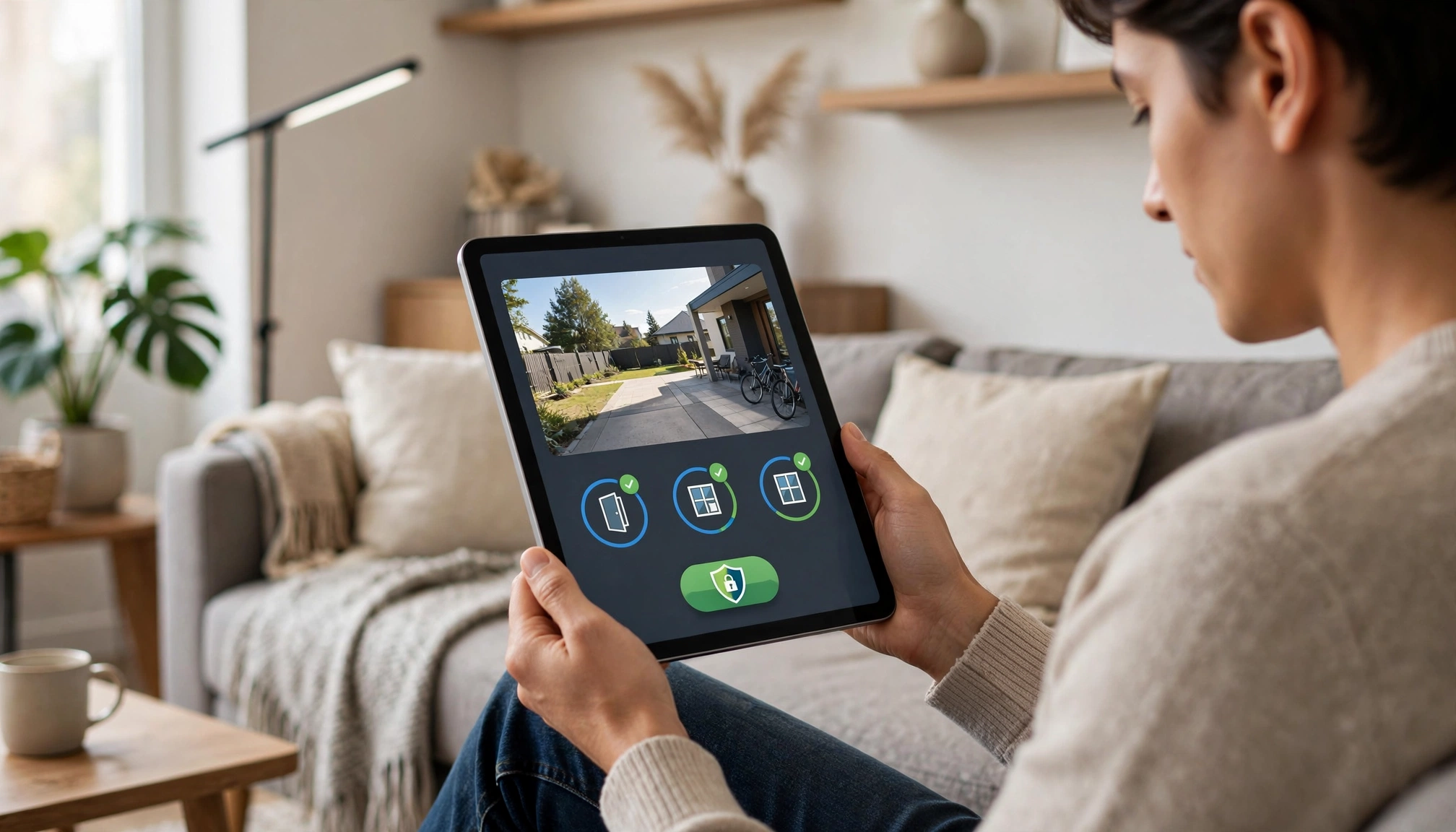
A person checking their smart home security system on a tablet, showing a live feed from an outdoor camera and status of door/window sensors.
Final Verdict & Practical Takeaways
Choosing a smart home security system in 2027 requires careful consideration beyond just price. Prioritize systems that offer robust cybersecurity, including AES-256 bit encryption and two-factor authentication. Look for advanced AI features like person and vehicle detection to minimize frustrating false alarms. Decide whether professional monitoring (averaging $34.99/month) or self-monitoring fits your lifestyle and budget. Finally, ensure the system integrates well with your existing smart home devices to avoid a fragmented experience. A truly effective system is one you understand, trust, and use consistently.
Frequently Asked Questions
How secure are smart home security systems against hacking?
Reputable smart home security systems use strong encryption (like AES-256 bit) for data transmission and storage, and they offer two-factor authentication (2FA) for account access. However, no system is 100% hack-proof. Your security also depends on using strong, unique passwords, keeping your Wi-Fi network secure, and regularly updating your system's firmware. Always choose brands that prioritize cybersecurity and provide frequent updates.
Can I mix and match security devices from different brands?
It depends on the system's compatibility. Some systems are closed ecosystems, meaning they only work with their own branded devices. Others support open standards like Z-Wave, Zigbee, or Matter, which allow integration with a wider range of third-party sensors and devices. Before buying, check the system's specifications for supported protocols and device compatibility lists. Using a central hub that supports multiple protocols generally offers the most flexibility.
What happens if my internet goes out with a smart security system?
Most reliable smart home security systems offer