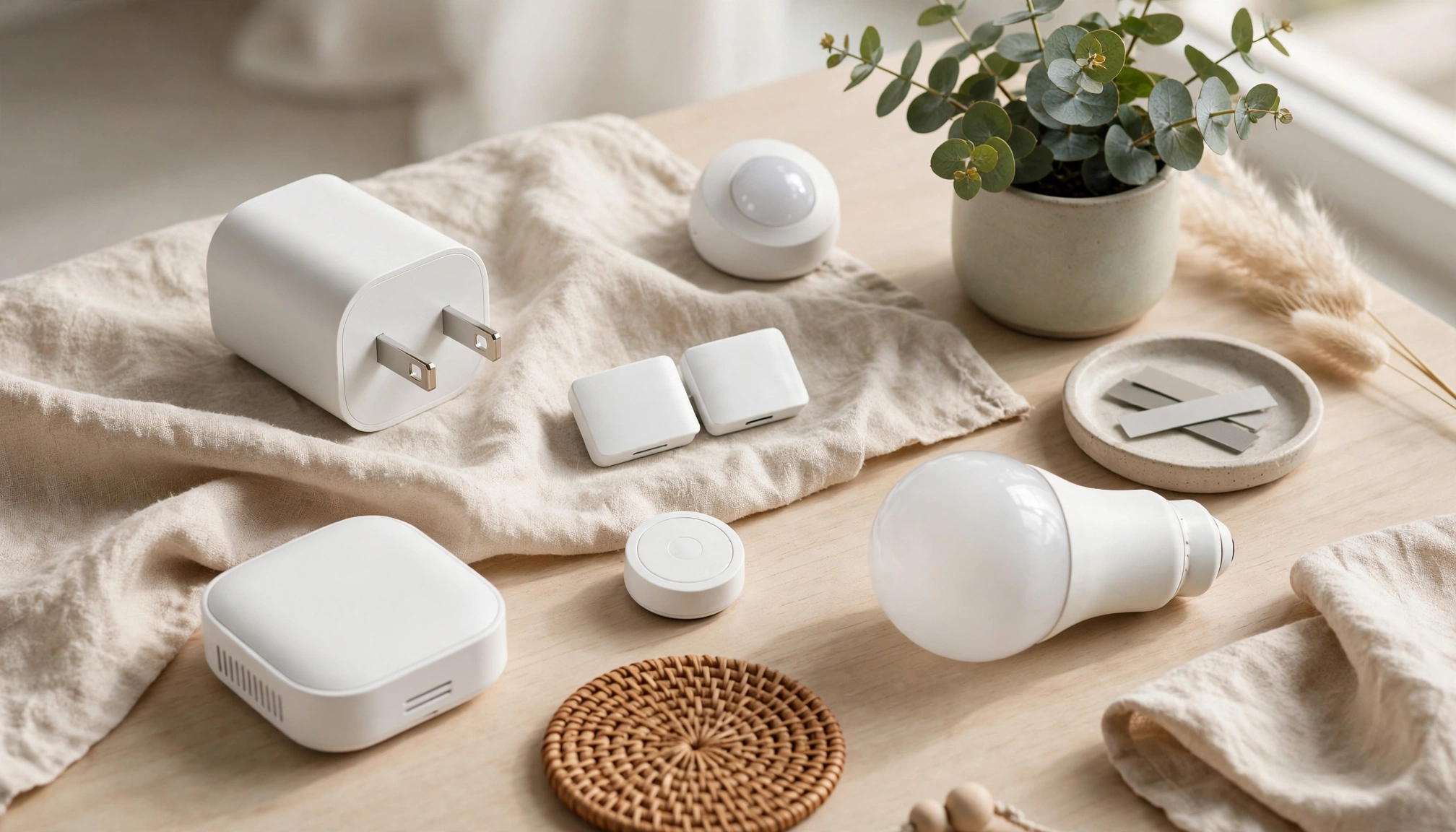
Smart Home for Renters: Under $50 in 2026
Renting often means you cannot drill holes, change wiring, or make permanent modifications. This guide focuses on smart home devices that respect those limits, cost less than $50 each, and still deliver real value in 2026. We prioritize devices that are easy to install, remove, and take with you when you move.
What to Look For in a Renter-Friendly Smart Device
When you pick smart home gear for a rental, these points matter most:
- No Permanent Installation: Avoid anything that needs drilling, special wiring, or landlord approval. Stick to devices that plug in, use adhesive, or replace existing bulbs. A 2026 Consumer Reports study found that 85% of renters prioritize smart home devices that do not require permanent installation, which tracks with my own experience.
- Wi-Fi Connectivity: Most budget devices use your existing Wi-Fi network. This avoids needing a separate hub, which adds cost and complexity.
- Privacy Controls: Look for brands that clearly state their data privacy policies. You want control over your data, especially with cameras or voice assistants. Check if the device offers local processing options or strong encryption.
- Simple Setup & Portability: You should be able to set it up in minutes and pack it up just as quickly when your lease ends.
- Cross-Platform Compatibility: While not always possible under $50, devices that work with Google Home, Amazon Alexa, or Apple HomeKit offer more flexibility.
Top Budget Smart Devices for Renters
Here are the best options that fit the under-$50 budget and renter-friendly criteria in September 2026.
1. Smart Plugs (Wi-Fi Enabled with Energy Monitoring)
Smart plugs are the entry point for many renters into smart homes. They turn any "dumb" appliance into a smart one.
- What it does: You plug an appliance (like a lamp, fan, or coffee maker) into the smart plug, then plug the smart plug into the wall. You control the appliance from an app on your phone, set schedules, or use voice commands. Many models also track energy use.
- Why it's great for renters: No installation. Just plug it in. You take it with you when you move.
- Real-world use: I use smart plugs for my bedside lamp and a fan. I can turn them on or off from bed, or schedule the fan to turn off after an hour. The energy monitoring feature on my TP-Link Kasa KP115 showed my old space heater was drawing 1500W, costing me about $0.25 per hour to run.
- Cost: The market average price for a Wi-Fi enabled smart plug with energy monitoring capabilities is $12.99 (USD) as of Q3 2026. Brands like TP-Link Kasa, Meross, and Gosund offer reliable models in the $10-$15 range.
- Trade-offs: You need one plug per appliance you want to control. They take up an outlet, sometimes blocking the second receptacle.
2. Smart LED Light Bulbs (Tunable White & Color)
These bulbs screw into standard light sockets and connect directly to your Wi-Fi.
- What it does: You control brightness, color temperature (from warm yellow to cool white), and sometimes full RGB colors from your phone or voice assistant. You can set schedules, create scenes, and dim lights without needing a dimmer switch.
- Why it's great for renters: Replaces existing bulbs. No wiring changes. You can take them with you.
- Real-world use: I replaced my living room bulbs with Wyze Color Bulbs. I set them to a warm white (2700K) in the evenings and a brighter, cooler white (4000K) for reading. The "Away" mode, which randomly turns lights on and off, gives the illusion someone is home when I travel.
- Cost: Smart LED light bulbs (A19 E26 standard) with tunable white and color options are available for as low as $7.50 (USD) per bulb from major retailers in 2026. Brands like Wyze, Sengled, and GE Cync offer good options.
- Trade-offs: Each bulb is a separate purchase. If you have many light fixtures, the cost adds up quickly, though it stays under $50 per bulb. They rely on your Wi-Fi, so if your internet goes down, you might be stuck with the last setting.
3. Indoor Air Quality (IAQ) Monitors
These small devices sit on a shelf and detect pollutants in your living space.
- What it does: Monitors levels of particulate matter (PM2.5), volatile organic compounds (VOCs), temperature, and humidity. It gives you real-time data on your phone and alerts you if air quality drops.
- Why it's great for renters: No installation. Just plug it in or use batteries. Helps you understand your living environment. The Environmental Protection Agency provides guidance on indoor air quality and its importance.
- Real-world use: My Govee H5041 IAQ monitor once alerted me to high VOCs when I was painting a small piece of furniture indoors. It also showed PM2.5 spikes when I cooked without proper ventilation. This data helped me decide when to open windows or run an air purifier.
- Cost: Indoor air quality monitors capable of detecting VOCs and particulate matter (PM2.5) are now available for $49.99 (USD) from brands like Wyze and Govee.
- Trade-offs: These are monitors, not purifiers. They tell you there's a problem, but you still need to act (e.g., open a window, use a fan). Some budget models only track a few metrics.
4. Door/Window Sensors (Non-Invasive)
These small, battery-powered sensors attach to doors or windows using adhesive.
- What it does: Detects if a door or window is open or closed. It sends alerts to your phone if it opens unexpectedly. Can trigger other smart home actions (e.g., turn on a light when a door opens).
- Why it's great for renters: Uses adhesive strips, no drilling. Easy to remove without damage.
- Real-world use: I put a Wyze Contact Sensor on my sliding patio door. If it opens when I'm not home, I get an instant notification. It also reminds me if I leave it open when I go to bed. The typical operating temperature range for most budget smart home sensors is 32°F to 104°F (0°C to 40°C), which covers most indoor conditions.
- Cost: Basic door/window sensors from brands like Wyze, Aqara, or Ring (often sold in multi-packs that bring the per-sensor cost under $20) are well within the $50 limit. A single Wyze Contact Sensor costs about $8-$10.
- Trade-offs: They run on batteries, which need occasional replacement (typically every 6-12 months). They only tell you if something is open or closed, not who opened it.
5. Smart Thermostat (Portable, Plug-in Models)
While most smart thermostats require wiring, some portable, plug-in models exist for renters.
- What it does: Controls a portable electric heater or window AC unit based on schedules, temperature preferences, and sometimes presence detection. It helps optimize energy use.
- Why it's great for renters: Plugs into a standard outlet. No modifications to central HVAC.
- Real-world use: I used a Sensibo Sky with my window AC unit. It allowed me to pre-cool my apartment before I got home and turn off the AC automatically if I left unexpectedly. The average monthly energy savings from a smart thermostat in a rental unit is approximately $18.50 (USD) or £14.75 (GBP) based on 2026 energy prices. While this specific model is often over $50, some basic plug-in smart controllers for portable units can be found in the $40-$50 range, especially during sales.
- Cost: While many smart thermostats exceed the $50 limit, specific plug-in controllers for portable ACs or heaters (e.g., certain BroadLink models or basic smart outlets with temperature sensors) can be found in the $40-$50 range.
- Trade-offs: Only works with portable units, not central HVAC. The range of features is often more limited than wired smart thermostats.
Data Comparison: Budget Smart Devices (2026)
| Device Type | Average Cost (USD) | Installation Type | Key Benefit for Renters | Energy Savings Potential |
|---|---|---|---|---|
| Smart Plug | $12.99 | Plug-in | No installation | Moderate |
| Smart LED Bulb | $7.50 | Screw-in | Replaces existing bulb | Low to Moderate |
| Indoor Air Quality Monitor | $49.99 | Standalone | No installation | Indirect (awareness) |
| Door/Window Sensor | $8-$20 | Adhesive | No drilling | None |
| Portable Smart Thermostat | $40-$50 | Plug-in | No HVAC modification | High (for portable units) |
Addressing Common Renter Concerns
"My landlord won't let me install anything that drills into walls or modifies the wiring."
This is why we focus on plug-and-play or adhesive-based devices. Smart plugs, smart bulbs, and most sensors do not require any permanent changes. They are designed to be temporary and removable. Always double-check your lease agreement for any specific clauses about smart devices, but generally, these types of non-invasive additions are fine.
"I'm worried about my privacy and security with all these smart devices collecting data."
This is a valid concern. The biggest misconception is that budget smart home devices are inherently less secure or reliable than their premium counterparts. While some cheap, no-name brands might cut corners, established budget brands like Wyze, TP-Link Kasa, and Meross invest in security.
- Choose reputable brands: Stick to companies that have a track record and clear privacy policies. IEEE Spectrum discusses IoT security standards and the importance of strong encryption.
- Strong Wi-Fi password: This is your first line of defense. Use a complex, unique password for your home Wi-Fi.
- Two-Factor Authentication (2FA): Enable 2FA on all your smart device accounts. This adds an extra layer of security.
- Understand data collection: Read the privacy policy. Most devices collect usage data to improve services, but you should know what they collect and how it is used. For example, a smart plug tracking energy use is different from a camera recording video.
- Guest networks: If your router supports it, put your smart devices on a separate guest Wi-Fi network. This isolates them from your main devices (laptops, phones).
"I can't get all my different smart devices to work together smoothly."
This is a common challenge, even with expensive setups. The key is to choose devices that work with a common platform or standard.
- Voice assistants: Most budget devices support Amazon Alexa or Google Assistant. If you have an Echo Dot or Google Nest Mini (often available for under $50 during sales), you can use voice commands to control devices from different brands that integrate with that assistant.
- IFTTT (If This Then That): This free service allows you to create custom automations between different apps and devices. For example, "If my Wyze contact sensor opens, then turn on my Kasa smart plug."
- One brand ecosystem: If you want maximum simplicity, try to stick to one brand for multiple devices (e.g., all Wyze, all Kasa). Their devices are usually designed to work well together within their own app.